
Manga Cropper
Manual cropping tool for manga-style page images
Manga Cropper
The Manga Cropper is a manual cropping tool designed for page-based manga and manhua. You draw boxes around individual panels, and the tool exports each panel as a separate image.
When You Need It
- Your source material is page-based (standard manga pages with multiple panels per page)
- The automatic panel detection (Step 1) doesn't split panels accurately for your content
- You want precise manual control over how panels are cropped
- You're working with complex page layouts (overlapping panels, irregular shapes)
ℹ️ Info
For vertical scroll webtoons (long strips), use the Webtoon Cropper instead — it's designed for that format.
How to Use
Open Manga Cropper
Click "Manga Cropper" on the toolbar.
Load Your Images
Select the manga page images you want to crop. You can load multiple pages at once for batch processing.
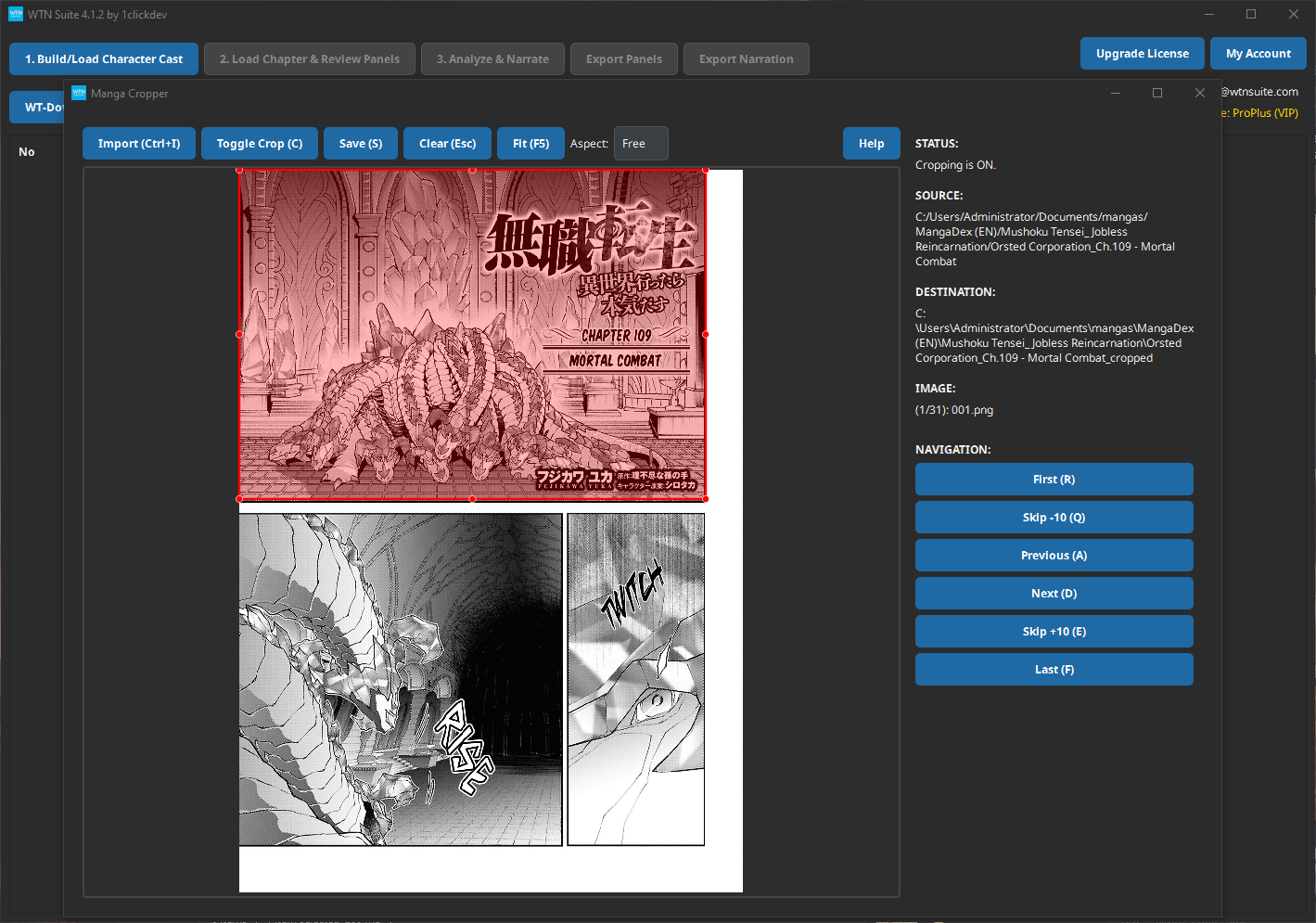
Draw Crop Boxes
Click and drag on the image to draw a rectangle around each panel. A red box appears showing the selected area.
- Move a box: Click and drag inside the box
- Resize a box: Drag the circles at the corners or edges
- Delete a box: Select it and press Delete
- Zoom: Use the mouse wheel to zoom in for precision
Export
Once you've marked all panels, click Export. Each box becomes a separate cropped image file, numbered in order.
Settings
| Option | Description |
|---|---|
| Zoom | Mouse wheel to zoom in/out for precision cropping |
| Batch processing | Load multiple pages and crop them all in one session |
| Export format | Cropped panels saved as individual image files |
Manga Cropper vs Webtoon Cropper
| Feature | Manga Cropper | Webtoon Cropper |
|---|---|---|
| Best for | Page-based layouts | Vertical scroll strips |
| Crop method | Draw boxes anywhere on page | Draw horizontal lines to split strips |
| Panel shapes | Any rectangle, any position | Full-width horizontal segments |
| Reading order | You control the order | Top-to-bottom automatic |
Tips
💡 Tip
You don't always need to use the cropper. The pipeline's built-in panel detection (Step 1) works well for most content. Try that first, and only use the Manga Cropper if the automatic detection isn't accurate enough.
💡 Tip
For right-to-left manga, crop panels in reading order (right-to-left, top-to-bottom). The export numbering follows the order you draw the boxes.
Common Issues
⚠️ Warning
Overlapping panels? If panels overlap in the original art, crop each panel separately, capturing the most important area. It's okay if crop boxes overlap slightly.
Next Steps
- Pipeline Overview — Load your cropped panels into the AI pipeline
- Webtoon Cropper — For vertical scroll format instead