
WT-Downloader
Download webtoon chapters directly within WTN Suite
WT-Downloader
WT-Downloader lets you download webtoon chapters directly into WTN Suite so you can start processing them right away.
When You Need It
- You want to narrate a webtoon from an online platform
- You need to download chapter images in bulk
- You want images automatically organized and numbered
How to Use
Open WT-Downloader
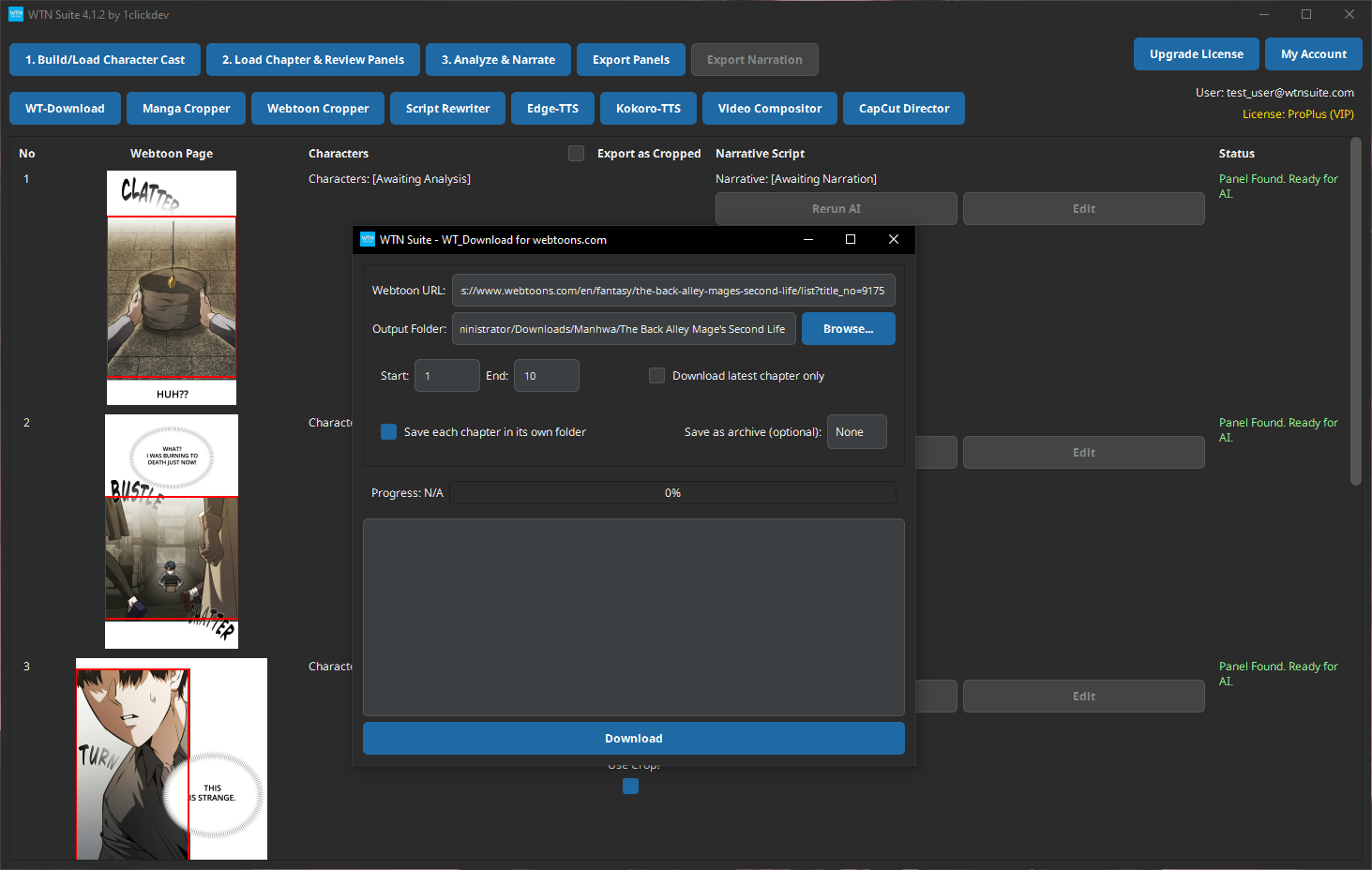
Click "WT-Download" on the toolbar to open the downloader window.
Paste the Webtoon URL
Copy the URL of the webtoon series or chapter from your browser and paste it into the URL field.
Example URL: https://www.webtoons.com/en/action/your-series/chapter-1/viewer?title_no=12345&episode_no=1
Choose Output Folder
Select where you want the downloaded images saved. A new subfolder is created automatically for each chapter.
Download
Click Download and wait for the progress bar to complete. The tool downloads all page images and organizes them into numbered files (e.g., 001.jpg, 002.jpg, 003.jpg...).
ℹ️ Info
Download speed depends on your internet connection and the source platform. A typical chapter with 30–50 pages takes 1–3 minutes.
Download Options
| Option | Description |
|---|---|
| Single chapter | Downloads one chapter from a direct chapter URL |
| Output folder | Choose where files are saved |
| Auto-numbering | Files are named sequentially for correct ordering |
Output Folder Structure
After downloading, your folder will look like this:
output-folder/
├── 001.jpg
├── 002.jpg
├── 003.jpg
├── ...
└── 045.jpg
These numbered images can be loaded directly into the Pipeline (Step 1) or processed with the Manga Cropper / Webtoon Cropper first.
Tips
💡 Tip
Download speeds are automatically managed to avoid overloading the source platform. If a download seems slow, just let it run — it will complete.
💡 Tip
Always download chapters before you need them. Having images saved locally means you can work on projects offline (except for AI processing, which requires internet).
Common Issues
⚠️ Warning
Download fails or stops midway? Check your internet connection and try again. Some platforms may temporarily limit access if you download many chapters in quick succession — wait a few minutes and retry.
⚠️ Warning
Images look blurry or low quality? The download quality depends on what the source platform provides. Most webtoon platforms serve high-resolution images by default.
Next Steps
- Pipeline Overview — Load your downloaded images into the AI pipeline
- Manga Cropper — Pre-crop manga-style pages before running the pipeline
- Webtoon Cropper — Pre-crop vertical scroll webtoons