
Webtoon Cropper
Specialized cropping tool for vertical scroll webtoon images
Webtoon Cropper
The Webtoon Cropper splits long vertical scroll images into individual panel segments. It's designed specifically for the webtoon format where content flows as one continuous vertical strip.
When You Need It
- Your source is a vertical scroll webtoon (a tall, continuous image strip)
- You want to split it into individual scenes before processing
- The automatic panel detection needs help with your specific content
- You want control over exactly where the image is divided
ℹ️ Info
For page-based manga (standard book pages with multiple panels), use the Manga Cropper instead.
How to Use
Open Webtoon Cropper
Click "Webtoon Cropper" on the toolbar.
Load Your Image
Select one or more vertical webtoon strip images. These are typically very tall images (thousands of pixels in height).
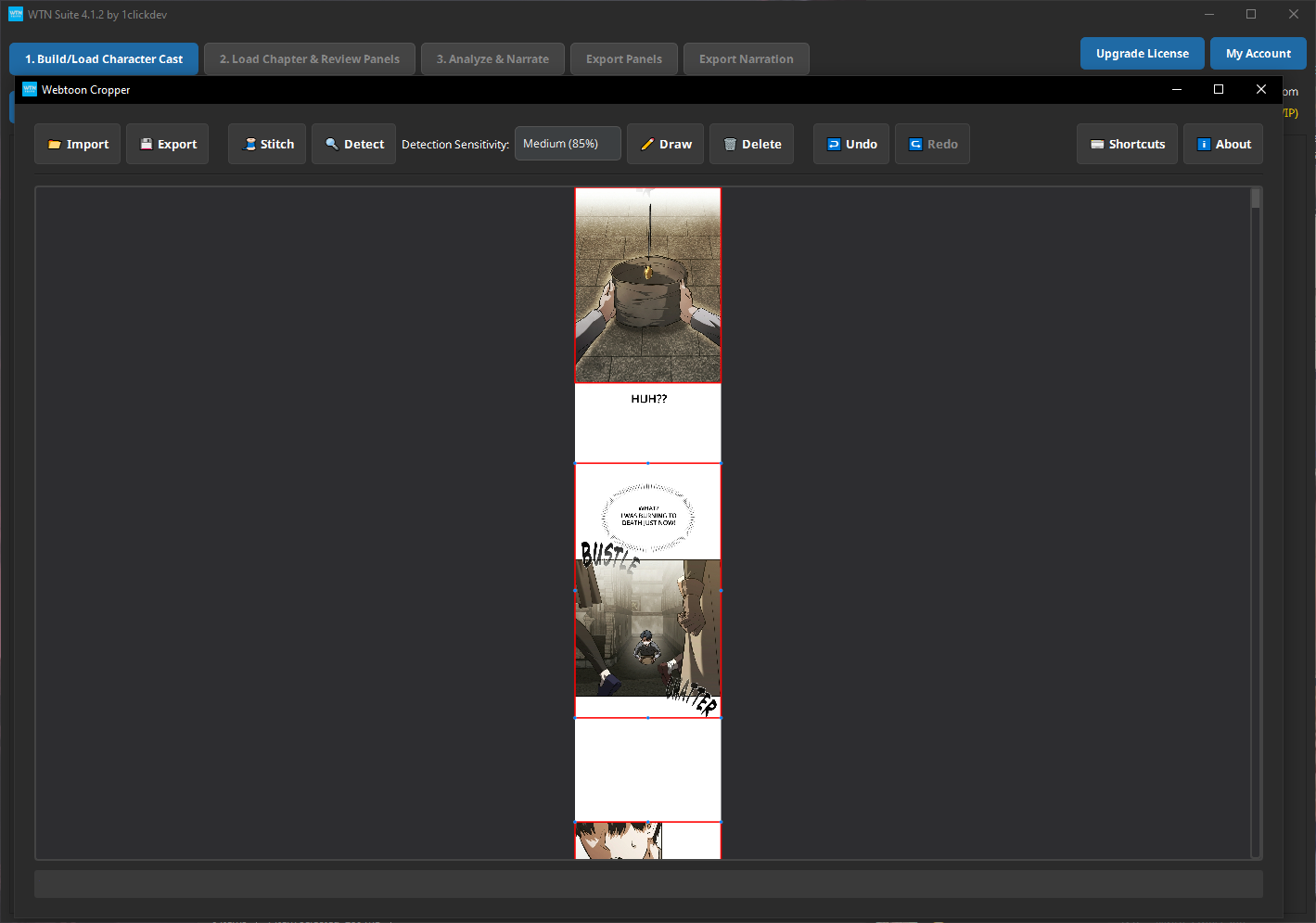
Draw Horizontal Cut Lines
Click on the image to place horizontal lines where you want to split the strip. Each line creates a division point — the image is cut into segments between these lines.
- Move a line: Drag it up or down
- Delete a line: Select it and press Delete
- Zoom: Mouse wheel to zoom in and place lines precisely
Export
Click Export. The strip is sliced at each cut line, producing individual panel images numbered from top to bottom.
How It Differs From Manga Cropper
The Webtoon Cropper works differently because webtoons scroll vertically:
- Manga Cropper: You draw boxes anywhere on a page (any position, any size)
- Webtoon Cropper: You draw horizontal lines across a tall strip (full-width cuts)
The result is the same — individual panel images ready for the pipeline — but the workflow matches the content format.
Tips
💡 Tip
Place cut lines at natural scene breaks — where the background changes, a new character appears, or there's a clear visual gap between panels. This produces the cleanest individual panels.
💡 Tip
Don't worry about being pixel-perfect. Small amounts of extra space at the top or bottom of a segment won't affect the AI analysis or video output.
Common Issues
⚠️ Warning
Very long strips take a moment to load. Webtoon images can be 10,000+ pixels tall. Give the tool a few seconds to fully load and render the image.
Next Steps
- Pipeline Overview — Load your cropped panels into the AI pipeline
- Manga Cropper — For page-based manga instead