
Script Rewriter
Polish and enhance your AI-generated narration with AI rewriting
Script Rewriter
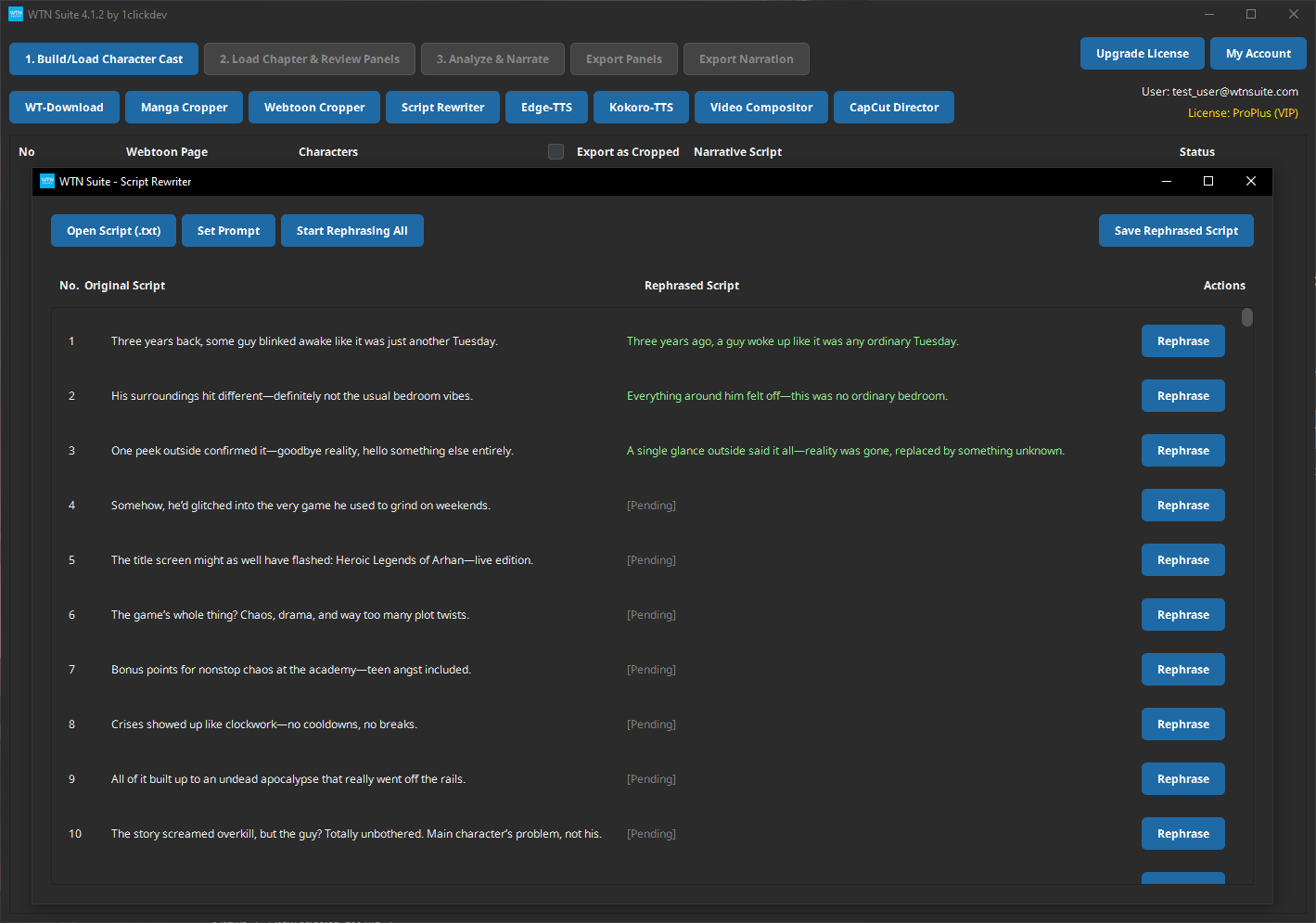
The Script Rewriter uses AI to polish, rephrase, and enhance your narration scripts. It takes the raw output from the pipeline and makes it more engaging, cinematic, or stylistically consistent.
📝 Note
Available on: Pro plan only.
When You Need It
- The pipeline's raw narration is good but could use more polish
- You want a more cinematic or dramatic style
- You want to adapt the tone for different audiences (casual vs professional)
- Some narration segments feel repetitive or flat
How to Use
Run the Pipeline First
Complete Steps 1–3 of the Pipeline to generate your initial narration text.
Open Script Rewriter
Select the narration text you want to rewrite. The Script Rewriter works on the narration from the pipeline's output.
Choose a Rewriting Style
Select how you want the AI to rewrite your text:
| Style | What It Does |
|---|---|
| Polish | Light editing — fixes awkward phrasing, improves flow |
| Enhance | Adds more descriptive language and emotional depth |
| Rewrite | Full rewrite with a different style or tone |
| Custom | You provide specific instructions for the AI |
Review and Accept
The rewriter shows you the result. You can accept, reject, or edit the rewritten text before applying it.
Custom Rewriting Instructions
With the Custom option, you can tell the AI exactly how to rewrite. Examples:
- "Make the narration more dramatic and suspenseful"
- "Shorten each narration to 2 sentences maximum"
- "Write in a casual, humorous tone"
- "Add more character emotion and inner thoughts"
- "Make it sound like a movie trailer voiceover"
💡 Tip
Custom instructions work best when they're specific. "Make it better" gives vague results. "Make it more dramatic with shorter, punchy sentences" gives focused results.
Before & After Examples
Original (from pipeline):
The two characters stand facing each other in the hallway. The girl looks surprised while the boy appears to be speaking seriously.
After "Enhance" rewriting:
In the dimly lit hallway, Mia freezes mid-step, her eyes widening as Jin's words cut through the silence. His expression is unreadable — jaw set, eyes steady — as if every word carries a weight he's been holding back for too long.
After "Custom: Make it casual and humorous":
So here's Jin, doing his best dramatic speech in the middle of a school hallway — bold move, honestly. And Mia? She's got that classic "did you really just say that?" face going on.
How It Works
- The rewriter processes your narration panel by panel, maintaining the overall story structure
- Character names and key plot points are preserved
- Each panel's rewrite considers the previous and next panels for smooth transitions
- Your original text is kept until you explicitly accept the rewrite
ℹ️ Info
The Script Rewriter uses your configured AI provider (Google AI, OpenAI, or Anthropic) and counts toward your API usage. Each panel rewrite is roughly equivalent to one API call.
Tips
💡 Tip
Don't rewrite everything. Read through your pipeline output first. Many segments may already be good — focus the rewriter on panels that feel flat or repetitive.
💡 Tip
Process the same chapter with different styles to find what works best for your content before committing to a full batch rewrite.
Common Issues
⚠️ Warning
Rewrite changes character names or plot details? This is rare but can happen. Always review the rewrite before accepting. You can edit the output manually before applying.
Next Steps
- Edge-TTS — Convert your polished narration into audio
- Kokoro-TTS — Premium audio with neural voices (Standard/Pro)